|
Access to Shared Folder
2017/02/15 |
|
Access to Shared Folder from Clients.
This example is on Windows 10 Pro.
|
|
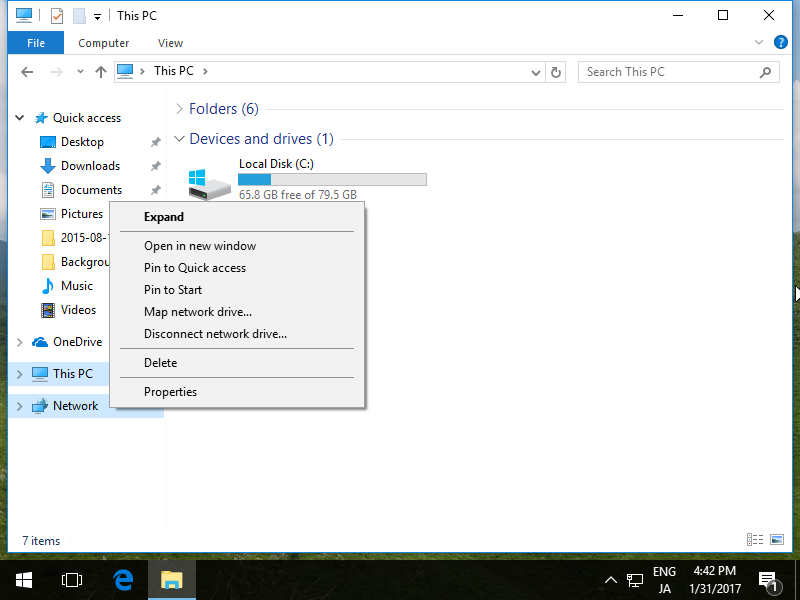
| [1] | Run Explorer and right-click [Network] which is on left side and select [Map network drive]. |
|
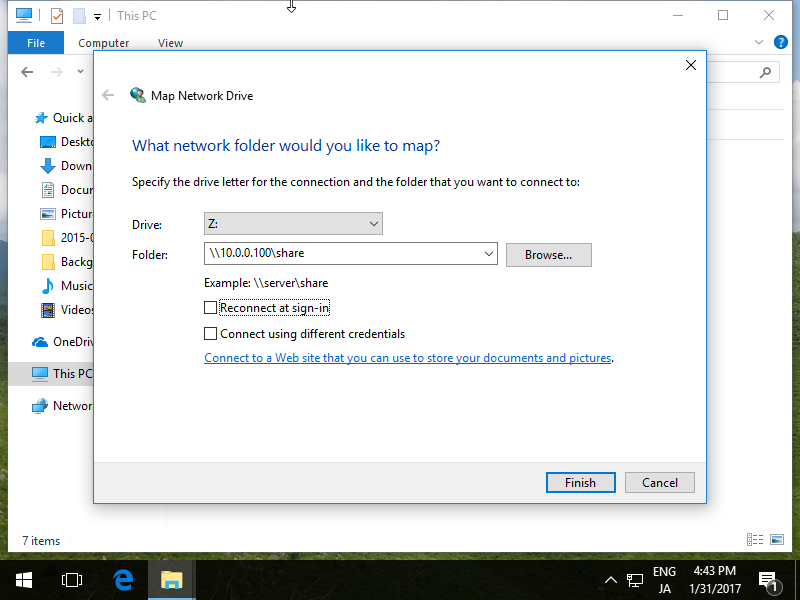
| [2] | Select a Drive for [Drive] section to map netowrk drive and input share name for [Folder] section. |
|
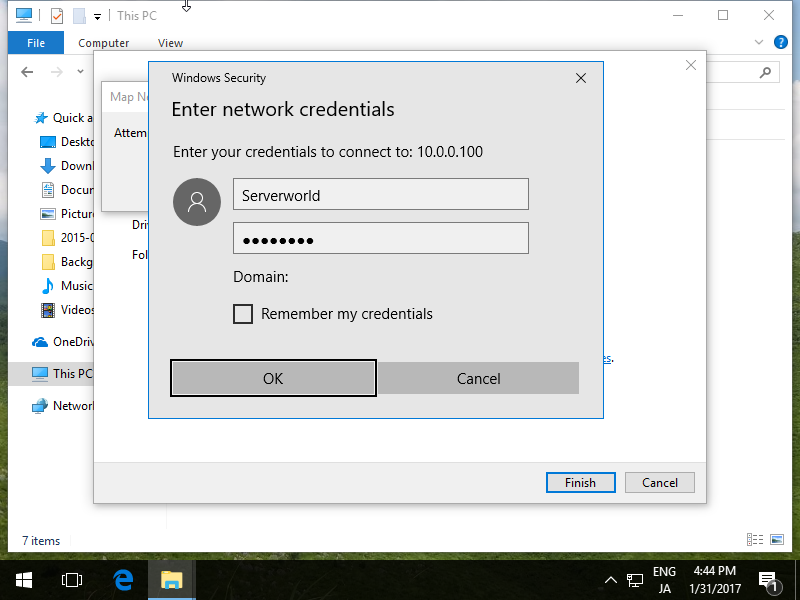
| [3] | For this case of example, the Server and Client are not in the same Domain, so authentication is required like follows. |
|
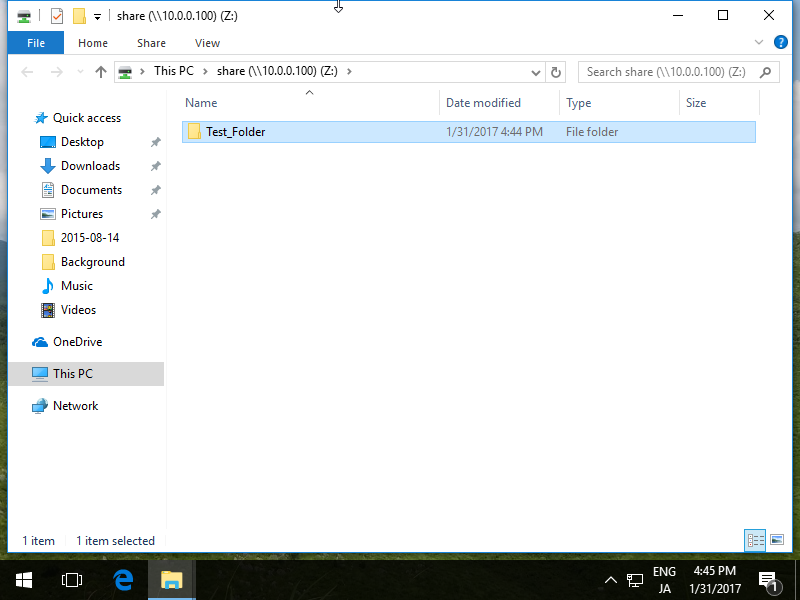
| [4] | Just accessed. |
|
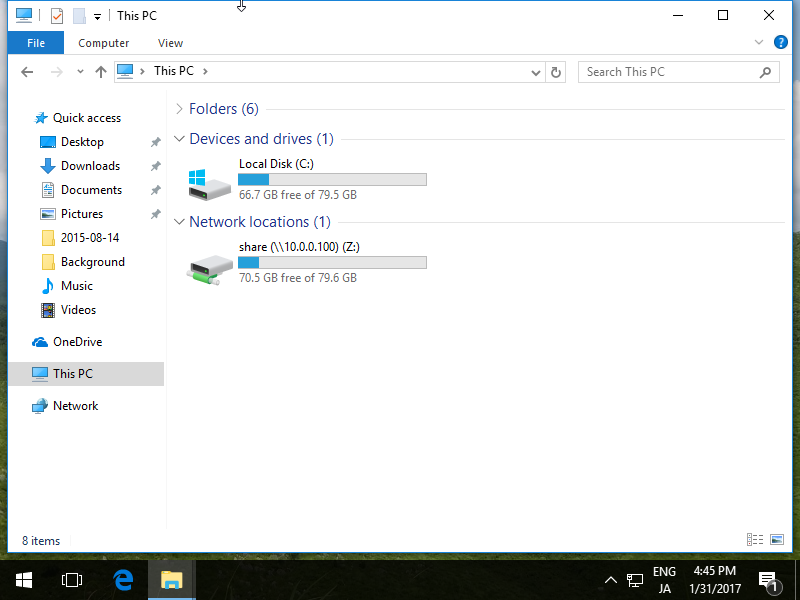
| [5] | Shared Folder is maped to Z:\ drive. |
|
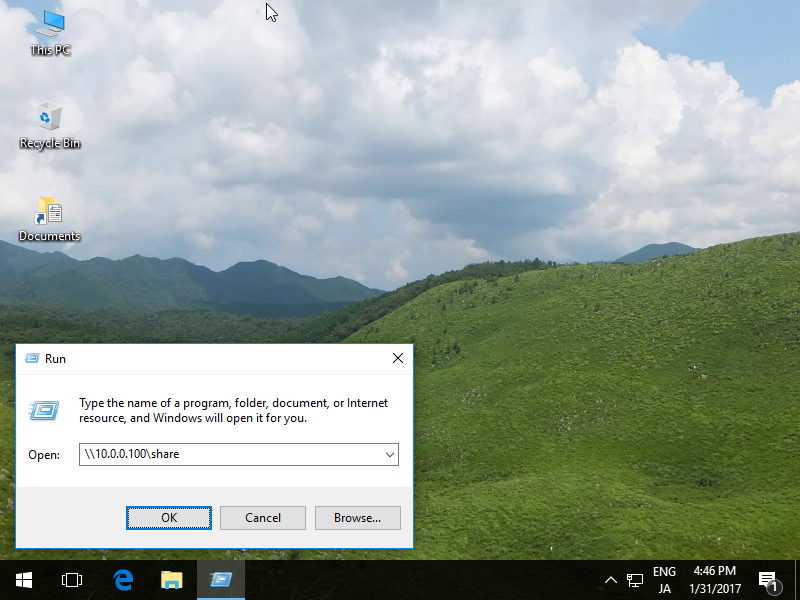
| [6] | If you'd like to access without mapping drive letter, run directly like follows. |
|